Fasting timer for iPhone

Fast without
chasing
the clock

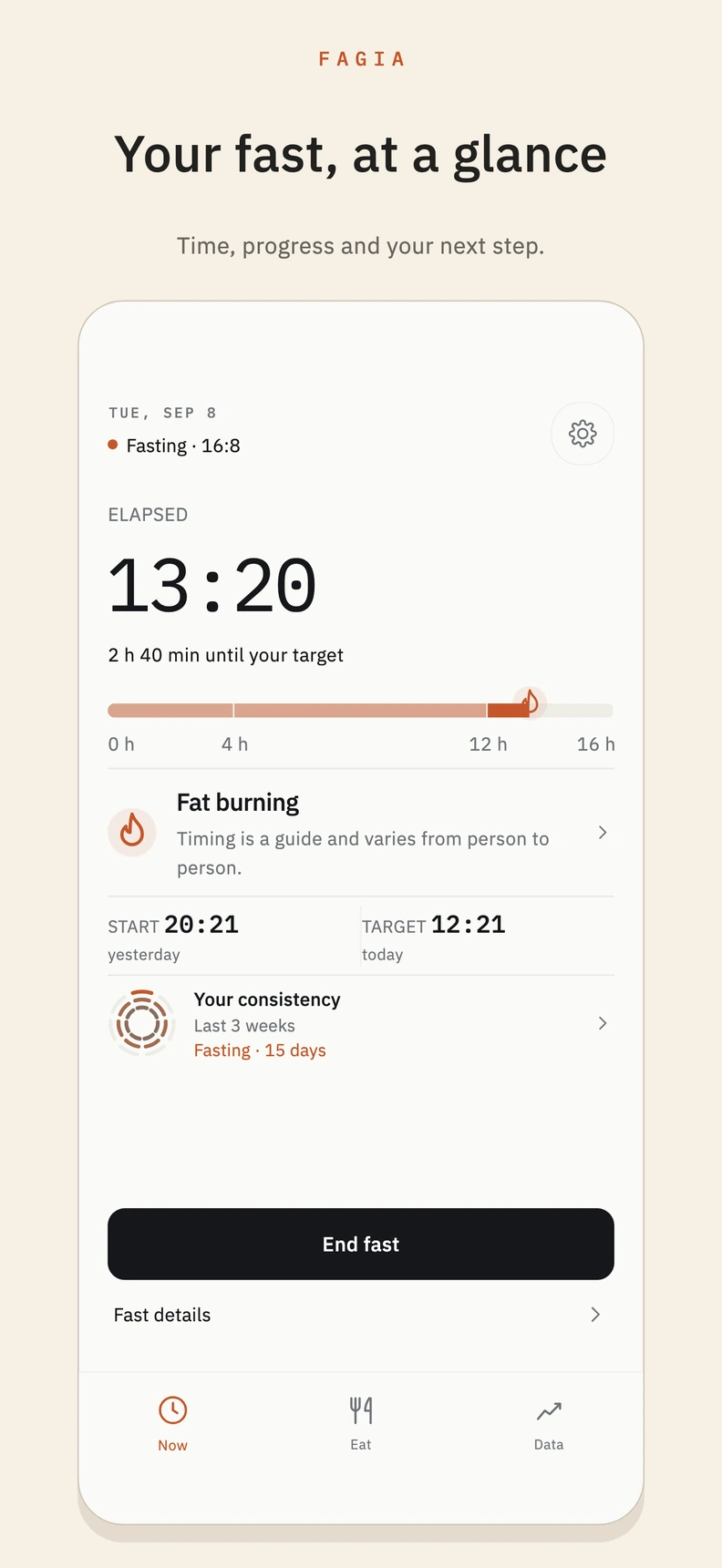
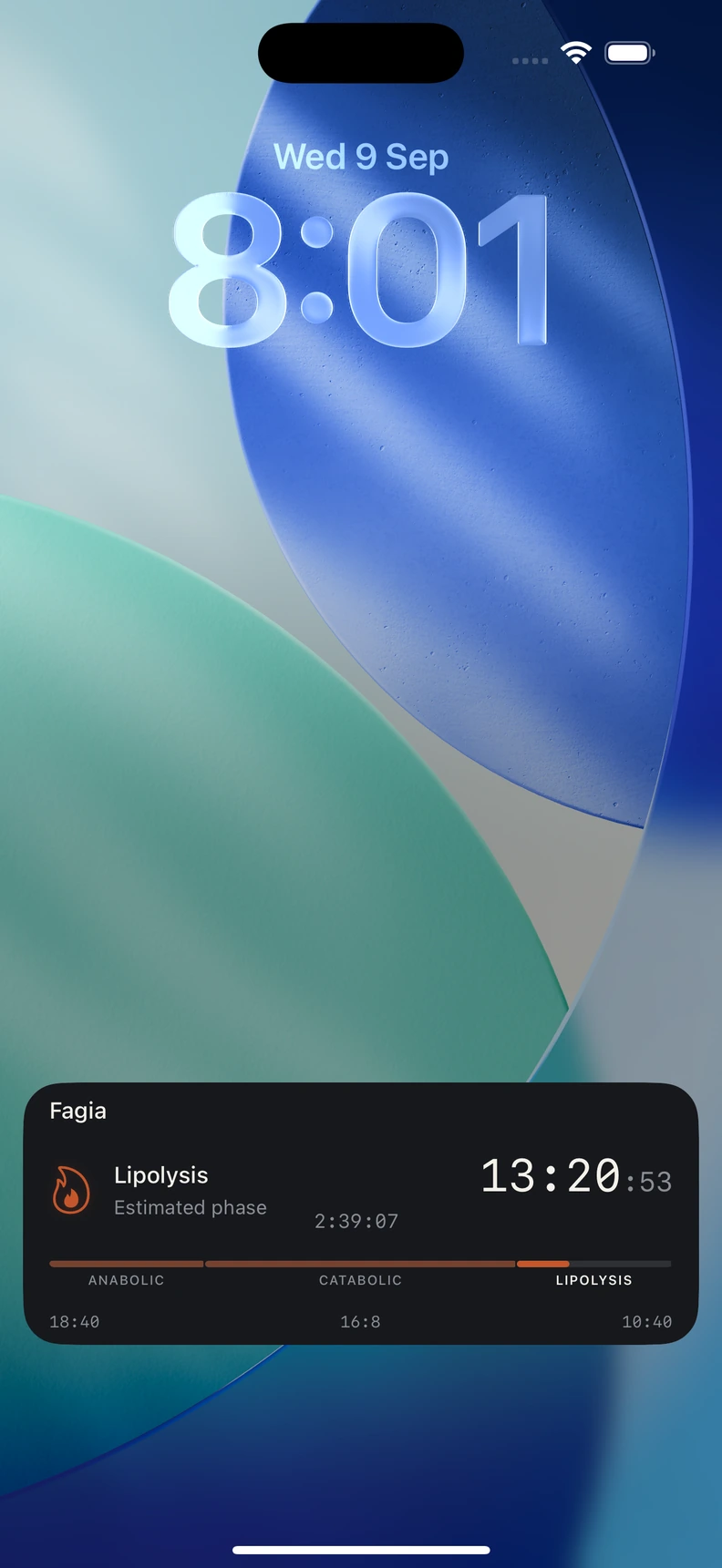
See how long you have fasted, how much time remains and your estimated phase.

Choose a window, start or adjust the fasting timer, and track meals, your weight trend and journal from one iPhone app.

The app requires an active subscription. Before you confirm, the App Store shows options, price, duration, and any eligible trial or offer.

  • Private by default
  • No ads, no noise
  • Built for iPhone
Fagia fasting dashboard showing a 13 hour 24 minute fast, an estimated metabolic phase and the 16:8 protocol on iPhone.

Fasting
timer

AI meal
analysis

Weight
trend

Fasting
journal

How it works

Your fast,
step by step

Choose a window, track the time and check the next estimated phase from your fasting timer.

  1. Choose your window

    Use a protocol such as 16:8 or create one that fits your routine.

  2. Start and adjust your fast

    Start the timer, correct the start time or finish early when your day changes.

  3. See what comes next

    Check elapsed time, remaining time and the next estimated phase at a glance.

Estimated metabolic phases

Check
each phase

View an educational reference for how metabolism commonly progresses during a fast. Phase timing varies between people and from day to day.

Fagia screen showing six estimated fasting time references, with lipolysis highlighted.

Estimated fat use

A time-based reference for when the use of stored fat may increase.

Estimated ketosis

A time-based reference for when ketone levels may begin to rise.

Autophagy reference

An educational stage; Fagia does not measure autophagy in your body.

Energy shifts

Record how you feel; Fagia does not infer your energy level.

Fagia estimates phases from elapsed time; it does not measure your metabolism, diagnose conditions or replace medical advice.

Fasting reminders

Never miss
your window

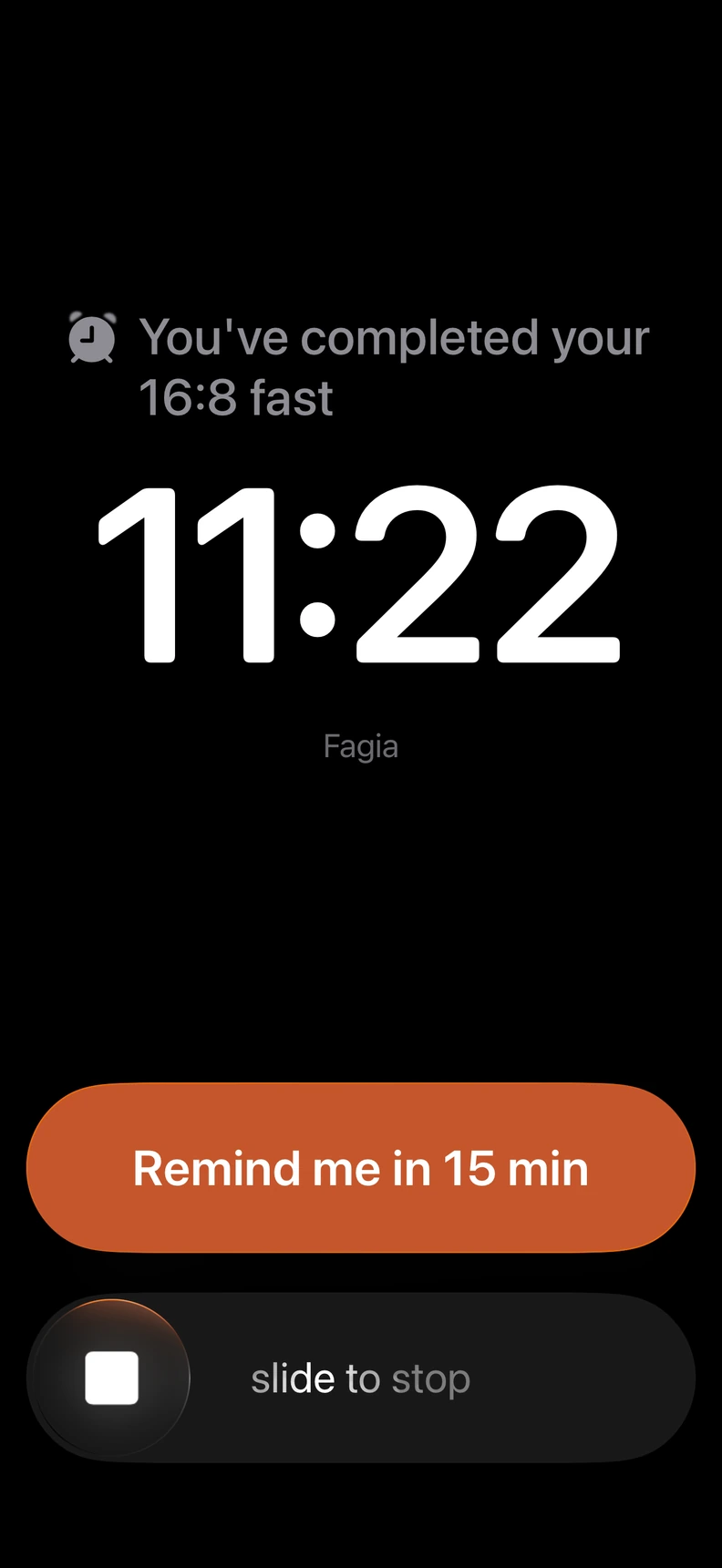
Fagia reminds you automatically when your fasting window begins and when it ends — set your rhythm once, and it repeats every day.

Fagia lock screen alert reminding the user to start their fasting window, with controls to snooze or stop it.

Fast start alert

A notification exactly when your fasting window begins.

Eating window alert

Know the moment you can eat again, without watching the clock.

Repeats automatically

Set your rhythm once. Fagia reminds you every day, on schedule.

Adjust anytime

Shift today's alert in one tap when your day changes.

AI meal analysis

Will this
break your fast?

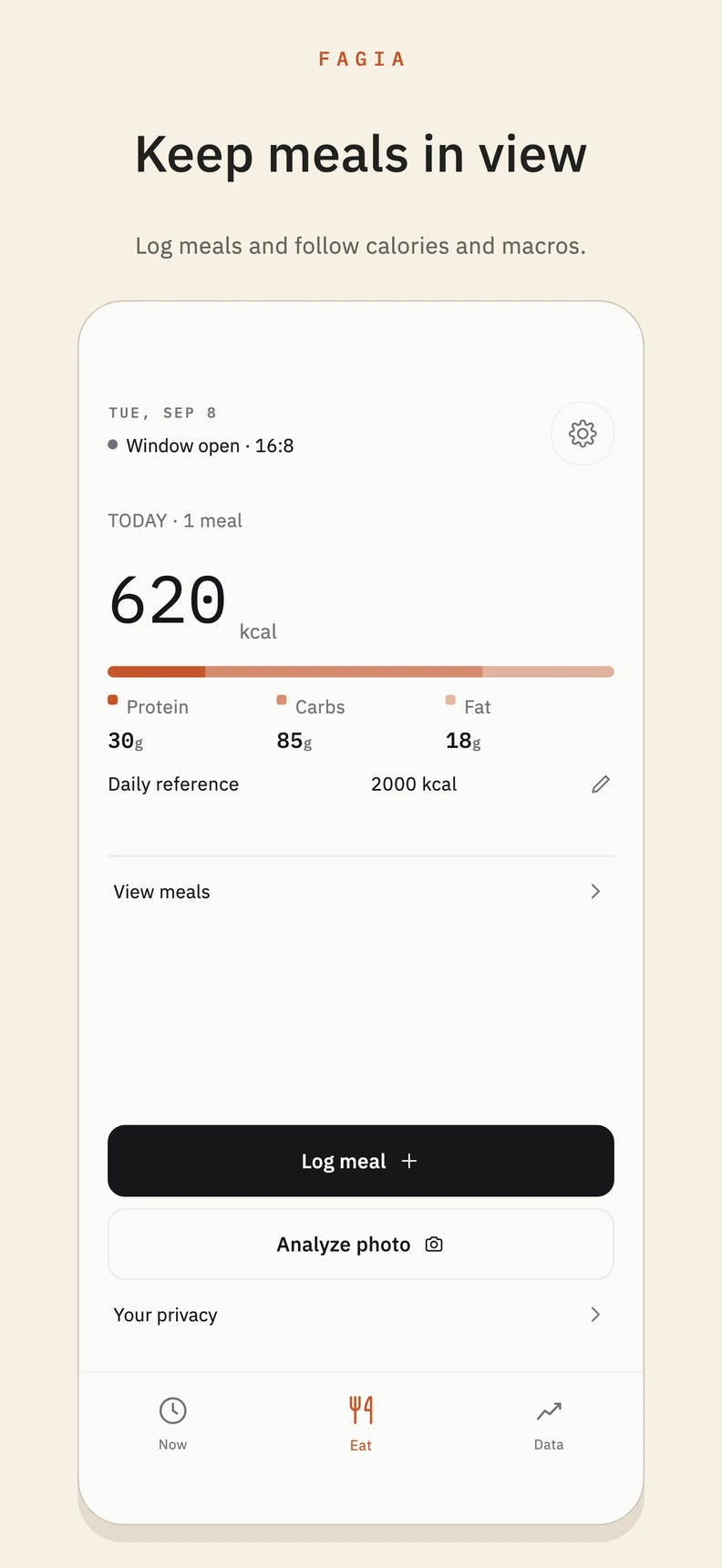
Take a meal photo and receive estimates for calories, macros, ingredients and how it may fit your fasting window.

Fagia AI meal analysis for a chicken, quinoa and avocado bowl, with 610 estimated calories and a macro breakdown.

Meal photo

Photograph a plate; Fagia estimates which ingredients it contains.

Calories & macros

Estimated kcal with protein, carbs and fat.

Estimated ingredients

A list of what the AI estimates is on the plate.

Fasting impact

See an estimate of how the meal may fit your fasting window.

Fasting journal

Reflect on
how you feel

Note hunger, energy, sleep and mood to connect each fast with how you felt.

Fagia journal screen with notes filtered by hunger, energy, sleep and mood.

Hunger

Notice the waves, not just the peaks.

Energy

Note the changes you notice during your fast.

Sleep

See how rest connects to your routine.

Mood

Record how the day felt in your own words.

Progress & data

See the trend,
not a single day

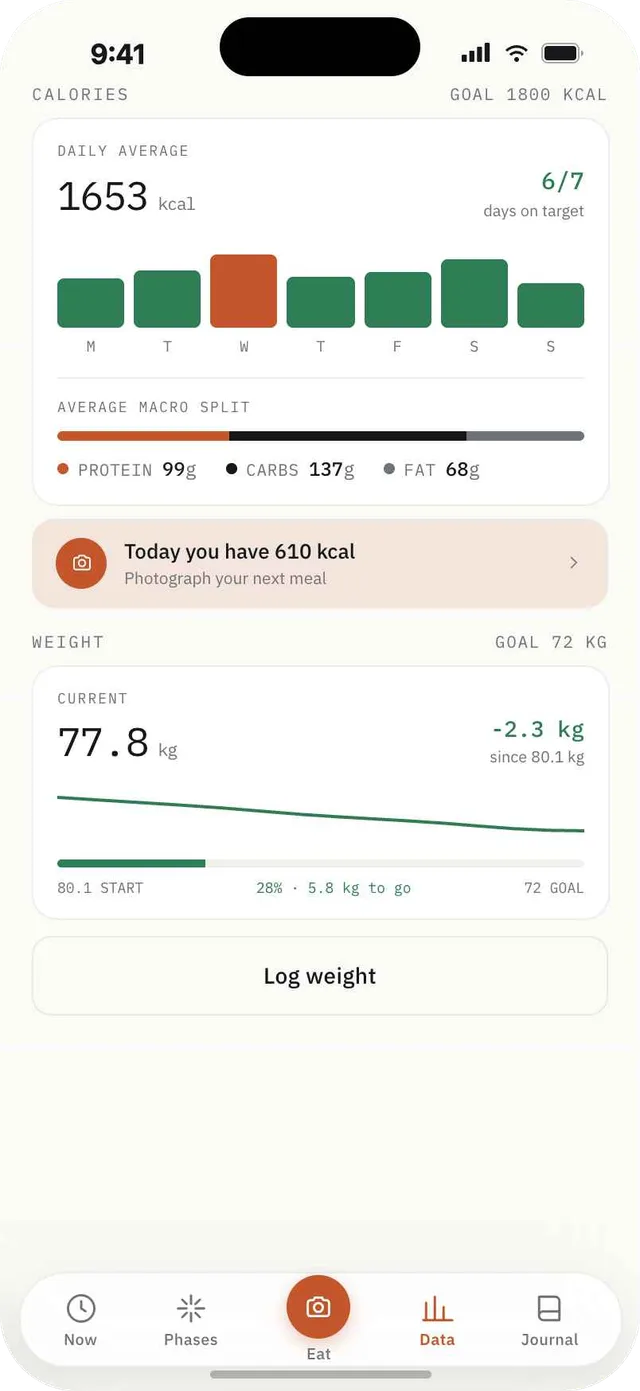
Review calories, macros and your weekly weight trend to put each entry in context.

Fagia progress screen with a weekly calorie chart, macro split and weight trend line.

Weight trends

A gentle line, not a daily verdict.

Calorie overview

Daily average against your target.

Macro balance

Protein, carbs and fat at a glance.

Weekly insights

Patterns that a single day can't show.

Body composition

Compare
your photos

If you choose to use this feature, compare photos taken under similar conditions and review an indicative estimate.

Fagia body composition screen comparing an earlier and current photo with estimated body fat and a weight trend.

Weekly photo

Add a photo whenever you want a visual reference for your progress.

Side by side

See today next to your very first photo, anytime.

Estimated body fat

An approximation based on the photo and your data; results can vary by image.

Limited processing

When you request analysis, the encrypted photo is sent to our proxy and AI provider; our servers do not retain it after processing.

Body composition is an indicative estimate that can vary with lighting, posture and framing; it is not a medical or diagnostic measurement.

Goal projection

Explore
a projection

Explore an indicative date calculated from your weight and calorie entries. It changes when your data changes.

Fagia goal projection screen with a 72 kilogram goal estimated around September 3 and a trajectory chart.

Estimated goal date

A calculated date that changes with your entries.

Daily deficit

Review the value calculated from the data you have logged.

Weight forecast

One possible trajectory within a range, not an assured result.

Scenario insights

Compare how different logged data may move the date.

The projection is indicative; it does not guarantee weight loss or replace medical advice.

Global by design

Built for your routine,
wherever you are

Fagia is designed for a global wellness audience, with localized experiences across multiple languages.

Your fasting window,
under control

Fagia is an intermittent fasting app for iPhone. Its fasting timer shows elapsed and remaining time for both a 16:8 protocol and a custom window.

During a fast, Fagia shows estimated metabolic phases based on elapsed time; they are educational references, not body measurements. AI meal analysis turns a photo you choose into estimates for ingredients, calories and macros.

The weight trend puts each entry in context, while the fasting journal brings together notes on hunger, energy, sleep and mood. Review your routine without relying on one isolated number.

Questions

Good to know

What is Fagia?

Fagia is an intermittent fasting app for iPhone. It brings together a fasting timer, estimated phases, AI meal analysis, calories, a weight trend and a fasting journal.

Can I track 16:8 fasting?

Yes. 16:8 is built in, alongside other common windows, and you can create custom protocols that fit your own rhythm and adjust them whenever you need to.

What are metabolic phases?

They are educational references calculated from elapsed time. Fagia does not measure your metabolism or confirm that your body is in a specific phase; timing varies between people and days.

Can Fagia analyze meals from a photo?

Yes. When you choose a photo, AI meal analysis estimates calories, macros and ingredients and suggests how the meal may fit your window. Results can contain errors.

Does Fagia track calories and macros?

It does. Fagia keeps a readable daily calorie overview and a balance of protein, carbohydrates and fat — designed to inform you, not to make you anxious about every number.

Can I track weight progress?

Yes. Log your weight and Fagia shows a trend and weekly insights. The optional projection updates with your entries and does not guarantee an outcome.

Is Fagia medical advice?

No. Fagia provides educational and wellness guidance based on your logged data. It is not medical advice. If you have a health condition, are pregnant, or take medication, please consult a qualified professional before fasting.

Does Fagia require a subscription?

Fagia requires an active subscription to access the app. The App Store shows the available options, price, duration, and any trial or offer for which you are eligible before you confirm a purchase.

What happens to my photos and AI analysis?

Your data stays on your device by default. Meal or body-composition photos you choose to analyze, accompanying data, and projection figures are sent encrypted to the proxy and AI provider. Fagia uses a pseudonymous UUID for subscriptions and abuse prevention. The proxy does not persist the content after responding; see the Privacy Policy for provider retention.

Fagia app icon Start today

Your next fast,
without chasing the clock

Download Fagia to track your window, check estimated phases and review your weight trend on iPhone.

Download on the App Store